If you run a retail business in the Netherlands, there is a good chance you already use Lightspeed as your point-of-sale or e-commerce backbone. It is reliable, feature-rich, and built for serious retailers. But here is a question more and more Lightspeed merchants are asking: how do I get my inventory onto Bol.com without creating a second job for myself?
The answer is integration. And in this post, we will walk you through exactly what that looks like, why it matters, and how to avoid the most common pitfalls along the way.
Why Lightspeed Sellers Are Moving to Bol.com
Bol.com reaches over 13 million active customers in the Netherlands and Belgium. For a Lightspeed retailer, that is an enormous pool of potential buyers that your own webshop simply cannot match in terms of sheer reach.
The challenge is that selling on Bol.com as an established retailer comes with real operational complexity. You already have:
- Your own webshop (likely powered by Lightspeed eCom or Lightspeed Restaurant)
- A physical store or warehouse with its own stock levels
- Existing order workflows your team is used to
Adding Bol.com on top of that — without a proper connection — means manually updating stock in two places, copy-pasting orders from the Bol.com seller portal into your Lightspeed system, and constantly worrying about overselling a product that just ran out in your store.
That is not sustainable. And it is why integration is not optional; it is a requirement for any serious Lightspeed retailer who wants to sell on Bol.com at scale.
The Core Problem: Inventory Drift
The biggest operational risk when selling on multiple channels without synchronization is inventory drift. This happens when your stock levels in Lightspeed and on Bol.com get out of sync.
Here is a typical scenario: a customer buys your last unit of a product in your physical store at 3 PM. Your Bol.com listing still shows “In stock.” At 3:15 PM, someone orders that same item on Bol.com. Now you have a problem. You either have to cancel the order (damaging your seller rating), source the product urgently, or apologize to a disappointed customer.
Multiply this across a catalog of hundreds or thousands of products, and you can see why inventory drift becomes a serious operational headache. A proper Lightspeed-Bol.com integration solves this by pushing stock updates to Bol.com in near real time, so what customers see always reflects what you actually have.
What a Good Integration Looks Like
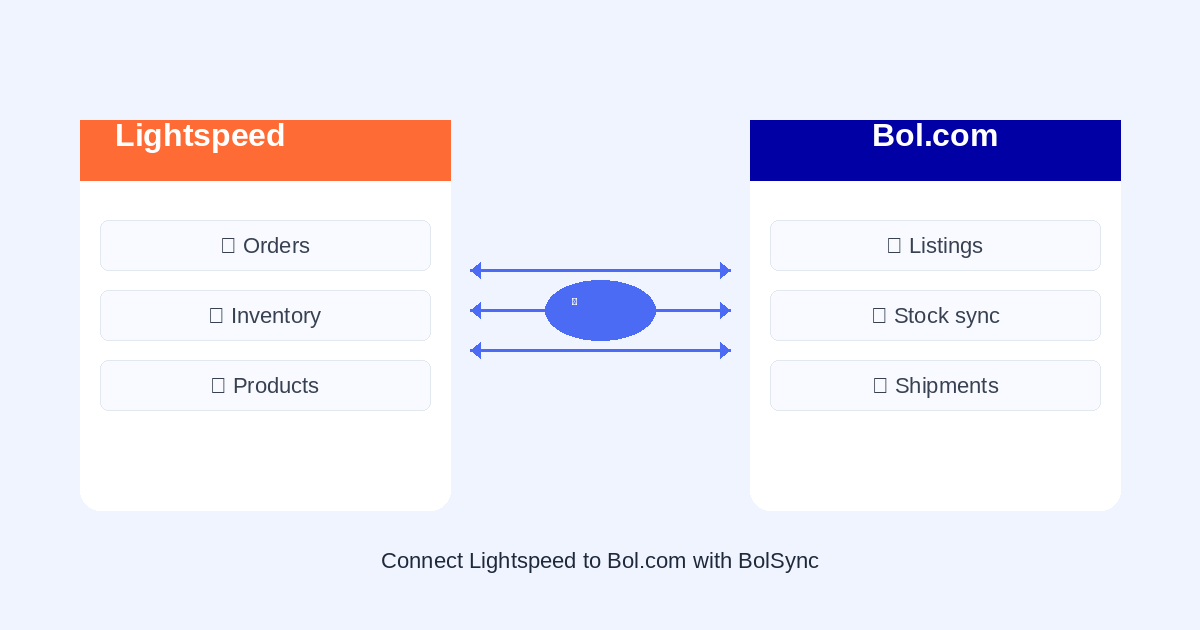
A solid Lightspeed-Bol.com connection handles three core flows automatically.
1. Inventory Synchronization
Every time a sale happens in your Lightspeed system, whether in your physical store, your webshop, or via Bol.com itself, your available stock should update across all channels within minutes. This is the foundation. Without it, nothing else matters.
2. Order Import
When a customer places an order on Bol.com, that order should appear in Lightspeed automatically. Your team processes it in the same system they already know. No portal-switching, no manual entry, no missed orders during busy periods.
3. Shipment Confirmation
Once you ship an order and mark it as dispatched in Lightspeed, that status should flow back to Bol.com automatically. The customer gets their track-and-trace notification, and Bol.com’s system marks the order as shipped. Your seller metrics stay clean.
Together, these three flows create a closed loop where your Lightspeed system remains the single source of truth, and Bol.com is simply another channel your products flow through.
Setting Up the Connection with BolSync
BolSync is built specifically for this use case: connecting Lightspeed (and other platforms) to Bol.com’s API so that the three flows described above happen automatically.
The setup process is straightforward.
Step 1: Connect your Lightspeed store
You link your Lightspeed account to BolSync using your API credentials. BolSync reads your product catalog, including SKUs, EAN codes, descriptions, and current stock levels.
Step 2: Connect your Bol.com seller account
You provide your Bol.com API credentials. BolSync maps your Lightspeed products to their corresponding Bol.com offers using EAN codes as the matching key.
Step 3: Configure your sync rules
You decide how inventory should flow. Do you want to reserve a buffer stock for your physical store? Set a minimum stock threshold so Bol.com listings go to zero before your actual stock runs out. Want to automatically pause listings when stock drops below a certain level? That is a one-time setting.
Step 4: Go live
Once everything is mapped and your rules are in place, BolSync handles the rest. Orders flow in, stock updates flow out, and shipment confirmations go back automatically.
EAN Codes: The One Thing You Cannot Skip
Before going live on Bol.com, make sure every product you want to list has a valid EAN (European Article Number) barcode in Lightspeed. This is non-negotiable.
Bol.com uses EAN codes to identify products and match them to their catalog. If a product in your Lightspeed system does not have an EAN, the integration cannot create or update the corresponding Bol.com offer. This is the single most common setup problem we see with new integrations.
The fix is simple but sometimes time-consuming: audit your Lightspeed catalog and ensure every product you want to sell on Bol.com has a correctly entered EAN code. For products you manufacture yourself or that are private-label, you may need to register GS1 barcodes. It is worth doing this before you start your integration setup, not after.
Handling Multi-Location Inventory
If your business operates from multiple locations, say a warehouse and one or more physical stores, inventory management gets more complex. Which stock pool should Bol.com orders be filled from?
This is where your sync rules become important. A few common approaches:
- Single warehouse model: Only your main warehouse location feeds Bol.com inventory. Store stock is not counted.
- Combined pool with buffer: Total stock across all locations feeds Bol.com, minus a reserved buffer to ensure your stores always have display stock.
- Location priority: Orders route to the location with the most stock, or a specific fulfillment location.
The right approach depends on your logistics setup. The important thing is deciding on a model before you go live so your inventory stays accurate from day one.
The Business Case in Plain Numbers
Still wondering if the integration effort is worth it? Consider this rough calculation for a retailer with 200 products on Bol.com.
Manual approach: 30 minutes per day updating stock, 20 minutes per day importing orders, 10 minutes per day confirming shipments = roughly 1 hour of manual work daily. Over a year, that is about 250 working hours, or more than 6 full working weeks spent on data entry.
Automated approach: near zero manual effort. Setup time is a few hours, one time.
The math is clear. And that does not even account for the overselling incidents, the seller rating damage from late shipments, and the stress of managing two systems manually during busy periods like Sinterklaas or Black Friday.
Next Steps
If you are a Lightspeed retailer who is already selling on Bol.com or thinking about it, the best first move is to audit your product catalog for EAN codes and get your Bol.com seller account in order. Once those foundations are in place, connecting the two systems is genuinely straightforward.
Want to see how BolSync handles the Lightspeed connection? Explore our integration features or reach out to us and we can walk you through the setup for your specific situation.
Ready to automate?
Try BolSync free for 30 days and discover how much time you can save.